At a time when the live streaming industry is booming, both new anchors who are new to the live streaming field and old anchors who already have a group of loyal viewers are constantly looking for ways to improve the quality of live streaming and the audience experience. Capture cards, a seemingly inconspicuous but powerful device, are gradually becoming the secret weapon for many anchors to improve their live streaming professionalism. Especially in a dual-PC setup, the use of capture cards can not only significantly improve game performance, but also add more possibilities to live streaming content.
Imagine that you are concentrating on playing the latest masterpiece on a high-end gaming PC with delicate pictures and smooth operation. At the same time, the capture card on another PC is quietly capturing all of this, converting the wonderful game pictures into live streaming materials. This method effectively eliminates the encoding burden of the main PC and releases more resources to improve game performance, allowing you to enjoy the ultimate gaming experience while also presenting a clearer and smoother live streaming picture to the audience. In addition, capture cards also support live streaming from various consoles, whether it is Sony's PlayStation series or Microsoft's Xbox series, they can be easily connected to make your live streaming content more colorful.
So, how do capture cards work?
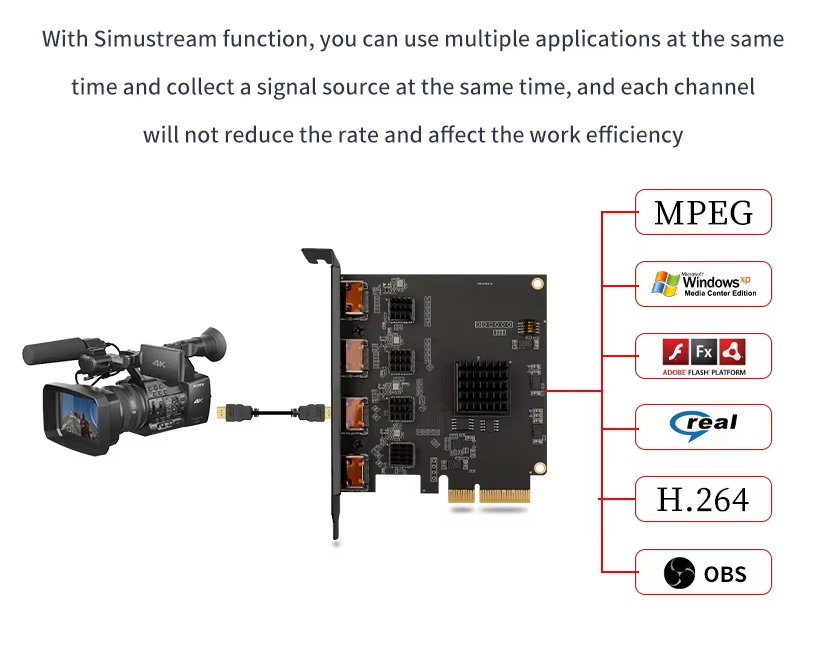
The core function of a capture card is to receive input signals from external devices. These external devices can be game consoles, cameras, or even another PC. Simply connect the device to the capture card via an HDMI cable to achieve signal transmission. With this technology, you can capture footage at up to 4K resolution and ensure smooth frame rates, making the live broadcast more delicate and vivid.
The capture card transmits the captured video signal to your PC, and then you can use professional live broadcast software such as OBS (Open Broadcaster Software) to edit the video. OBS provides a wealth of features such as screen splitting, filter addition, subtitle production, etc., to make your live broadcast content more personalized and professional. After editing, the footage can be easily broadcast to external platforms such as Twitch and YouTube to share your wonderful moments with audiences around the world.
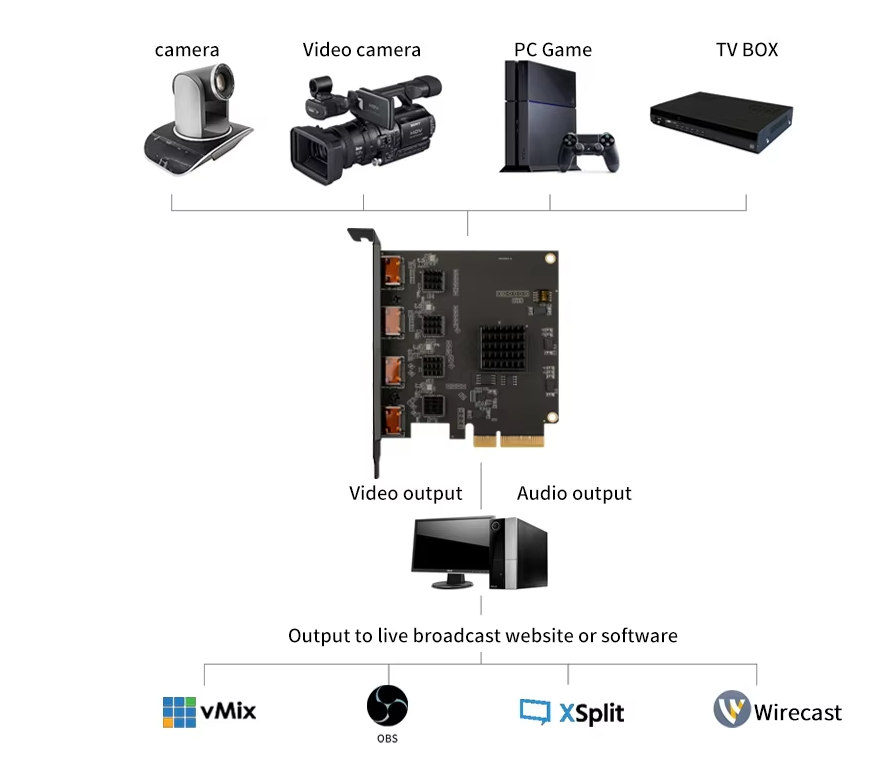
By adopting this external capture and editing method, your gaming PC or console can focus more resources on the game itself instead of encoding the footage. This process not only simplifies the operation process, but also brings significant improvements in game performance. Because the encoding process usually consumes a lot of CPU and GPU resources, the capture card transfers this task to another PC, allowing the main PC to focus more on the game, reducing the lag and delay, and improving the overall gaming experience.
In addition to improving game performance, capture cards can also bring more creative space to live broadcasts. For example, you can use a capture card to capture the game screen and the camera screen at the same time to achieve a picture-in-picture effect, so that the audience can see your expressions and reactions while enjoying the game. In addition, the capture card also supports multiple inputs, and you can connect multiple devices at the same time, such as game consoles, cameras, microphones, etc., to achieve richer live broadcast content.
Of course, the choice of capture card is also a science. Different capture cards vary in performance, compatibility, price, etc. Therefore, when choosing a capture card, you need to make a comprehensive consideration based on your actual needs and budget. For example, if you mainly live broadcast console games, it would be more appropriate to choose a capture card that supports high resolution and high frame rate; if you also need to edit videos or make teaching videos, then a capture card with multiple inputs and powerful editing functions will be more in line with your needs.
In short, as an important tool in the live broadcast industry, the capture card is bringing unprecedented live broadcast experience to many anchors with its powerful functions and flexible application methods. Whether you are a novice in the live broadcast field or an old anchor with a certain influence, you might as well try the charm brought by the capture card to make your live broadcast content more professional and more exciting.









